
Meet Your Computer’s Brain. The journey of a PC: From CPU to Storage
So, you have a laptop and you plan to buy a new laptop, so it is important to read this article.This article talks about your PC,and you will be multiples times read and listen these type words. This processor is of this generation and has 4 cores, and its thread number is 4. Its clock speed is very high. So, what do you say in your own mind? What is this? Why do these words mean what they mean? The words are complex, but I will explain them in very soft child language. So i will explaion to you the many types of topics , this is the brain of your computer. It is the most important part of your computer. It is the part that does all the work. It is the part that makes your computer run. It is the part that makes your computer do what you want it to do. It is the part that makes your computer fast or slow. It is the part that makes your computer good or bad. So, if you want to have a good computer, you need to have a good processor. And if you want to have a good processor, you need to have a good laptop. So, if you want to have a good laptop, you need to read this article.
So, are you ready? Please completely read this article.
What is CPU?
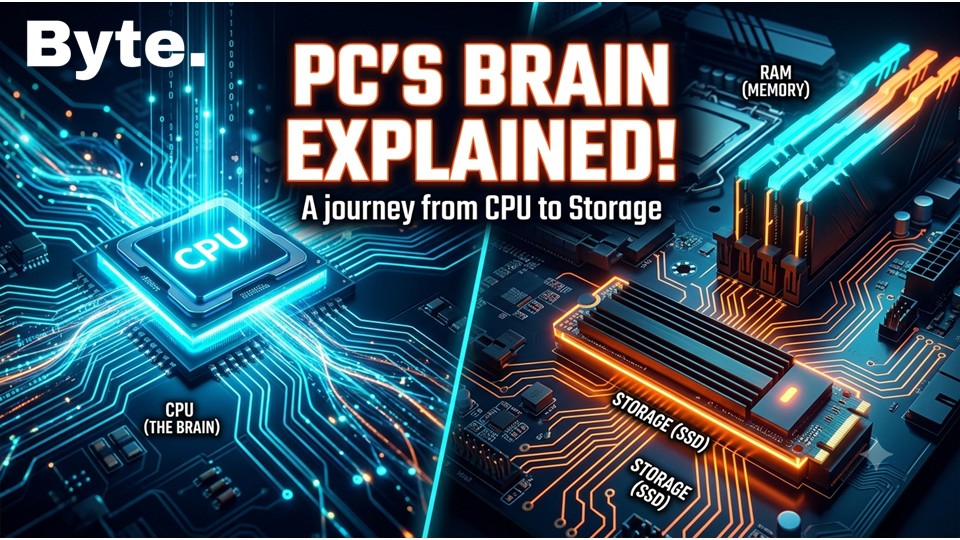
The processor (CPU) stands for the central processing unit. This is your laptop, Brain. All your computer’s tasks are processed on this chip and output to your monitor. It’s the main part of your computer. Without this part, your laptop won’t work. It is the main component of a computer that performs most of the processing inside a computer. The CPU is often referred to as the “brain “of the computer because it executes instructions and processes data. It handles all the tasks that allow your computer to function, from running applications to managing hardware components. The performance of a CPU can significantly impact the overall speed and efficiency of your computer, making it a crucial factor to consider when choosing a laptop or desktop.
Real-life analogy: Think of the CPU as the conductor of an orchestra.Just as a conductor directs musicians to play in harmony, the CPU directs various components of the computer to work together efficiently.
Example: Intel’s Core i7 and AMD’s Ryzen 7 are examples of powerful CPUs that offer high performance for gaming, content creation, and multitasking.
Comparison: When comparing CPUs, it’s important to consider factors such as clock speed, core count, thread count, and generation, as these can all affect performance. For instance, a newer generation CPU with more cores and threads may outperform an older generation CPU with fewer cores and threads, even if they have similar clock speeds.
What is a GPU?
A GPU (Graphics Processing Unit) is a specialized processor designed to handle graphics rendering and visual computations. It is responsible for rendering images, videos, and animations on your computer screen.GPUs are particularly important for gaming,video editing,3D modeling, and other graphics-intensive tasks.They can also be used for general-purpose computing tasks that require parallel processing, such as machine learning and scientific simulations.A powerful GPU can significantly enhance the performance of your computer when it comes to visual tasks and complex computations.
Real-life analogy: Think of a GPU as a dedicated artist in your computer that focuses solely on creating visuals. While the CPU handles general tasks, the GPU specializes in rendering graphics, allowing for smoother and more detailed visuals in games and applications.
Example: NVIDIA’s RTX series GPUs are known for their real-time ray tracing capabilities, which allow for incredibly realistic lighting and shadows in games, while AMD’s Radeon series offers competitive performance for gaming and content creation.
Comparison: When choosing a GPU, it’s important to consider your specific needs. If you’re a gamer or content creator who requires high-quality visuals, investing in a powerful GPU can make a significant difference in performance. However, if you primarily use your computer for basic tasks like web browsing and office work, a less powerful GPU may suffice.
What is a Core? Part of brain
Core Part of the brain The core is the internal part of your CPU Chip; it’s the part of your computer’s brain. If you think of the CPU as your computer’s brain, the core divides the brain into multiple parts. So, a 4-core processor divides your CPU into 4 parts—essentially separate brains working within a single chip. Dual-core = 2 brains, Quad-core = 4 brains More cores, meaning you can do more tasks simultaneously. So, if you have a 2-core chip, you have a brain with 2 parts, allowing you to complete two tasks at the same time.
What is threads? YOUR HAND
Threads are like the hands of your CPU. They allow the processor to handle multiple tasks at the same time. Each thread can manage a separate task, so if you have more threads, your CPU can multitask more efficiently. For example, a processor with 4 cores and 8 threads can handle 8 tasks simultaneously, making it better for multitasking and running complex applications. Threads are a way for the CPU to manage multiple tasks concurrently, improving performance and efficiency when running multiple applications or processes at the same time. Threads are like extra hands for each core. If your laptop has 4 cores and 8 threads, that means each core can manage 2 threads—essentially, two tasks at once. Picture it this way: imagine you have two robots, and each robot has two hands. While the robot itself represents the core, the hands represent the threads. With two hands, a single robot can perform two different tasks simultaneously, making the work more efficient.
What is Clock Speed?
If you think of the CPU as your computer’s brain, the clock speed is like the speed at which your brain works. So,a higher clock speed means your brain can process information faster. For example, if you have a clock speed of 3.0 GHz, it means your brain can process 3 billion cycles per second. The higher the clock speed, the faster your computer can perform tasks. Clock Speed refers to the processing speed of your processor (its “brain”). For instance, if you have a 4-core chip running at 2.5 GHz versus one running at 5 GHz, the latter makes your PC faster; however, factors like cores, threads, and generation are just as important as clock speed. It is measured in GHz and indicates how many cycles a processor can complete in one second.
Example: 3.5 GHz = 3.5 billion operations per second. Higher GHz = Faster performance, but it’s not the only factor to consider when evaluating a processor’s overall speed and efficiency.
Real-life analogy: Like the speed of a bike—100 km/h vs. 200 km/h.
Cache ,Your Pocket Diary
Cache is like a small, super-fast pocket diary for your CPU. It stores frequently used data and instructions so that the CPU can access them quickly without having to go to the slower main memory (RAM). The more cache a processor has, the faster it can access important information, which helps improve overall performance. Cache is measured in megabytes (MB) or gigabytes (GB), and it acts as a high-speed storage area for the most frequently accessed data, allowing your computer to run more efficiently. Cache is a type of very fast, short-term memory integrated directly onto the chip. Imagine you are performing a task—such as a simple multiplication on data—that requires quick access to specific, small pieces of data. Instead of searching elsewhere, you store this data in the cache for rapid retrieval, allowing the task to be completed twice as fast. Essentially, it is high-speed, compact memory built into the processor designed to hold frequently used data. Examples include L1, L2, and L3 caches; L1 is the fastest but has the smallest capacity. Real-life analogy: Compare a book lying right on your table to one listed in a catalog. The book on the table is instantly accessible.
PetaFLOP ,scale of strength
PetaFLOP is a measure of a computer’s processing power, specifically in terms of how many floating-point operations it can perform per second. One PetaFLOP equals one quadrillion (10^15) floating-point operations per second.This metric is often used to describe the performance of supercomputers and high-end processors,indicating their ability to handle complex calculations and large datasets efficiently. The higher the PetaFLOP rating, the more powerful the computer is in terms of processing capabilities.
Real-life analogy: If a computer can perform 1 Petaflop, it can do 1 quadrillion calculations every second, which is like having a super-fast calculator that can solve incredibly complex problems in the blink of an eye.
Example: A processor with 1 PetaFLOP can perform 1,000,000,000,000,000 calculations per second, making it suitable for tasks like AI processing, scientific simulations, and large-scale data analysis.
Comparison: A typical consumer CPU might have a performance of a few hundred GigaFLOPs (billions of operations per second), while a high-end supercomputer can reach several Petaflops, demonstrating the vast difference in processing power between consumer-grade and supercomputing hardware.
What is RAM?
RAM (Random Access Memory) is like the short-term memory of your computer. It temporarily holds data and instructions that the CPU needs while performing tasks. The more RAM you have, the more data your computer can handle at once, which can improve performance, especially when running multiple applications or working with large files.RAM is measured in gigabytes (GB), and having more RAM allows for smoother multitasking and better performance in demanding applications.
Real-life analogy: Think of RAM as a desk where you work on projects. A larger desk (more RAM) allows you to spread out more papers and tools, making it easier to work on multiple projects at the same time without feeling cramped.
Example: If you have 8GB of RAM, you can comfortably run basic applications and multitask with a few programs. However,if you’re into gaming or video editing, 16GB or more would provide a much smoother experience.
Comparison: While a computer with 4GB of RAM might struggle to run modern applications smoothly, one with 16GB or more can handle heavy multitasking and resource-intensive software with ease.
What is Rendering?
Rendering is the process of creating a final image or video from raw data.For example, if you have multiple photos and you merge and create a new video, the process of combining and processing those photos to make a new video is rendering.
What is TDP?
Thermal Design Power (TDP) is a metric that indicates how much power your processor consumes. This figure represents the processor’s power consumption and the heat it generates, measured in Watts. It is essentially a power-plus-heat metric—reflecting the heat produced and power used when the processor is under full load. Example: 65W TDP = Less heat, suitable for laptops. 125W TDP = More powerful, but generates more heat. Real-life example: Just like the difference in electricity bills between a 5-star AC and a 1-star AC.
What is Unified Memory?
Unified Memory is a type of memory architecture that allows the CPU and GPU to share the same memory space. This means that both the processor and graphics card can access the same data without needing to copy it between separate memory pools. Unified Memory can improve performance and efficiency, especially in tasks that require heavy data processing, such as gaming, video editing, and AI applications. It simplifies programming and can lead to faster data access, as there is no need for time-consuming data transfers between the CPU and GPU.
Real-life analogy: Imagine a shared workspace where both the CPU and GPU can access the same tools and materials without needing to move them back and forth. This allows for faster collaboration and efficiency in completing tasks.
Example: In a system with Unified Memory, if the CPU needs to process a large dataset for a machine learning task, it can directly access the same memory that the GPU uses for rendering graphics, eliminating the need for data transfer and improving overall performance.
Comparison: Traditional memory architectures require separate memory for the CPU and GPU, which can lead to bottlenecks when transferring data between them. Unified Memory eliminates this issue by allowing both components to access the same memory space, resulting in faster data processing and improved performance in tasks that require heavy computation.
What is a Superchip?
A superchip is an advanced, high-performance processor that integrates multiple components, such as the CPU, GPU, and other specialized processing units, into a single chip. Superchips are designed to deliver exceptional performance and efficiency, often targeting specific applications like gaming, AI processing, or data analysis. They can handle complex tasks and workloads that would typically require multiple separate components, making them ideal for high-end computing needs. Superchips represent a significant advancement in processor technology, offering enhanced capabilities and performance in a compact form factor.
Real-life analogy: A superchip is like a Swiss Army knife for computing—it combines multiple tools (CPU, GPU, etc.) into one compact device, allowing it to handle a wide range of tasks efficiently without needing separate components.
Example: NVIDIA’s RTX Spark is an example of a superchip that integrates a powerful CPU, GPU, and AI processing capabilities into a single chip, designed to deliver exceptional performance for gaming, content creation, and AI applications.
Comparison: Traditional computing setups often require separate components for the CPU, GPU, and other processing units, which can lead to increased power consumption and complexity. In contrast, a superchip integrates these components into a single chip, offering improved performance and efficiency while reducing the overall size and power requirements of the system.
What is Generation?
Generation refers to the version or iteration of a processor. Each new generation typically includes improvements in performance, efficiency, and features compared to the previous generation. For example, a 12th-generation processor is more advanced than an 11th-generation processor. Generations are important to consider when evaluating a processor, as newer generations often bring significant advancements in technology, even if the core and thread counts are similar to older models.
Real-life analogy: Think of generations like the model years of cars. A 2024 model will generally have better features and performance than a 2023 model, even if they are from the same manufacturer.
Example: Intel’s 12th-generation processors (Alder Lake) introduced a new hybrid architecture with performance and efficiency cores, while the 11th-generation (Rocket Lake) did not have this feature, demonstrating how each generation can bring significant advancements in technology.
Comparison: When comparing two processors, it’s important to consider their generations, as a newer generation may offer better performance and features even if it has similar core and thread counts to an older generation.
Type OF Processor
There are different types of processors, such as Intel, AMD, and Apple. Each type has its own architecture and features, which can affect performance and compatibility with software. When choosing a processor, it’s important to consider the type, as it can impact the overall performance and user experience of your computer.Processor name includes your processor power company name and its generation and number denoted on processor power and evolution Example such as Intel Core i7, AMD Ryzen 5, Apple M3, Snapdragon 8 Gen 2, etc. Each of these names indicates the brand, series, and generation of the processor, which can help you understand its performance capabilities and how it compares to other processors on the market.
Real-life analogy: Think of processor types like different brands of cars. Each brand has its own design philosophy and features, which can affect how the car performs and what kind of driving experience it offers.
Example: Intel processors are known for their strong single-core performance, making them popular for gaming, while AMD processors often offer better multi-core performance at a more competitive price point, making them a favorite among content creators and multitaskers.
Comparison: When comparing processors from different brands, it’s important to consider their specific strengths and weaknesses in relation to your needs. For example, if you’re primarily gaming, an Intel processor might be the better choice due to its strong single-core performance. However, if you’re doing heavy multitasking or content creation, an AMD processor might offer better value with its superior multi-core performance.
Note: The type of processor you choose can also affect compatibility with certain software and hardware, so it’s important to research and consider your specific needs and use cases when selecting a processor for your computer.
U Series Processors
U is an ultra-low-power processor and is power-efficient. It consumes the least power, with a 15W-28W TDP and a low base clock speed, resulting in longer battery life.Performance is lower than H series processors, but it is sufficient for everyday tasks like web browsing, office work, and media consumption. U series processors are commonly found in ultrabooks and thin-and-light laptops, where energy efficiency and portability are prioritized over raw performance.
Real-life analogy: Like a hybrid car – efficient and eco-friendly, but not built for high-speed performance.
Example: Intel Core i5-1335U is an example of a U series processor, designed for energy efficiency and suitable for everyday computing tasks.
Comparison: Compared to H series processors, U series processors offer lower performance but significantly better battery life, making them ideal for users who prioritize portability and energy efficiency over raw computing power.
P Series Processors
P series processors offer balanced performance. Faster than U, lower power than H. With a 28W-64W TDP and better speed than U, the battery is also well-used for photo editing, coding, and light video editing.
Example: Intel Core i7-1360P
Real life: Like a dual-cylinder bike – both mileage and power.
H Series Processors
H series processors are high-performance chips designed for demanding tasks. They have a higher TDP (typically 35W-45W or more) and higher base clock speeds, making them suitable for gaming, content creation, and other resource-intensive applications. H series processors are commonly found in gaming laptops and mobile workstations, where performance is prioritized over energy efficiency.
Real-life analogy: Like a sports car – built for speed and performance, but consumes more fuel.
Example: Intel Core i7-12700H is an example of an H series processor, designed for high-performance computing tasks.
Comparison: Compared to U series processors, H series processors offer significantly better performance but at the cost of higher power consumption and shorter battery life. They are ideal for users who need maximum computing power for demanding applications.
HX Series Processors
HX series processors are the most powerful in the lineup, offering desktop-level performance in a mobile package. With a TDP of 55W-157W, they consume more power but deliver exceptional performance for intensive tasks. They are designed for professionals who need the utmost performance for tasks like 4K video editing and hardcore gaming.
Example: Intel Core i9-13980HX
Real life: Like a sports bike – rocket-like speed.
Desktop-Level Processor Types
🔓 K-Series Processors
Unlocked & Overclockable: These processors allow you to manually increase clock speeds since Intel hasn’t locked them.
Desktop Only: Designed for desktop PCs.
Performance: High performance, suitable for gaming and content creation.
Examples:
Intel Core i5-13600K: Mid-range, unlocked, excellent for gaming.
Intel Core i9-13900K: High-end, unlocked, ideal for heavy workloads.
Note: Requires a Z-series motherboard and a high-quality cooler for stable performance.
🎮 F-Series Processors
No Integrated Graphics (iGPU): These CPUs need a dedicated graphics card to display output.
Advantage: Slightly cheaper compared to non-F models.
Performance: Similar to their non-F counterparts, but without integrated graphics.
Example: Intel Core i5-13400F: A popular F-series processor for budget-friendly builds.
Note: Your PC won’t display anything without a separate GPU.
⚡T-Series Processors
Power Efficient: Designed for low-power consumption (~35W TDP).Performance: Standard processing capacity, suitable for everyday tasks.Use Case: Best for small PCs, compact desktops, and All-in-One systems.
💻 G-Series Processors
Integrated Graphics: These processors come with built-in graphics capabilities, eliminating the need for a separate GPU.
Performance: Good for light gaming, multimedia, and general computing tasks.
Example: AMD Ryzen 5 3400G is a well-known G-series processor with integrated Radeon Vega graphics.
Note: Ideal for budget builds or systems where space and power efficiency are priorities.
What Benchmark Means in Computing
Definition: A benchmark is the process of running tests on a computer system to evaluate its performance.
Purpose: To compare different systems, identify bottlenecks, and guide upgrades or optimizations.
Scope: Can apply to hardware (CPU, GPU, RAM, SSD/HDD) or software (compilers, databases, applications).
Bài viết hay, mình học được nhiều điều. Letco là địa chỉ du học Hàn Quốc đáng tin cậy, hỗ trợ toàn diện từ tiếng Hàn đến visa. Xem tại letco.vn.
qvtdfpghsfxenwpixiiqohotejkyue